TL;DR
I was paying $15 a month for Loom and barely using it
The bill got my attention before the product did. I was a Loom Business subscriber for a while. Flat $15 a seat, nothing fancy. By the time I actually looked at the line item, my team's per seat math had compounded into something that didn't match how often I was opening the app.
- 1
What I actually needed
Quick async walkthroughs. The kind of thing where you record forty seconds of your screen, paste a link in Slack, and move on. Bug reports for engineers. A demo for a customer. Maybe twice a week. Loom is a great product, but I was paying broadcast prices for hit record, get a link.
- 2
The Atlassian tax
Loom got bought by Atlassian in 2023. After the acquisition, the AI features I would have actually used (summaries, auto chapters, filler word removal) got walled off behind a separate $20 per user tier. The Creator Lite seats some of my collaborators had been on, the cheap or free ones for occasional contributors, started getting billed at full rate. Pricing surprise. Not great.
- 3
The math finally broke
For a 10 person team, Loom Business + AI runs $200 a month. That's $2,400 a year just to record a screen and share a link. I started doing the math on what it would actually cost to host this stuff: storage, bandwidth, transcription. The gap between cost and price was wider than I expected. That was the nudge. Side by side QuickSnip vs Loom.
So I called my college roommate
His name is Syed. We were roommates at the University of Florida about fifteen years ago. He went on to start companies whose software now powers something like 30 million websites, but the thing that hasn't changed since the dorm is that he and I will get on a call about anything and end up arguing for an hour about whether a product idea is dumb or not.
- 1
Two ex Loom customers, one phone call
The Loom thing came up on one of those calls. He had been griping about the bill for longer than I had. I had just started building screen capture prototypes for an unrelated AI project and had a working pipeline. We sketched out the version we would actually use, and what it would cost to run, on the back of a FaceTime call. He said he would write the checks. I said I would build it. That's the whole founding story.
- 2
What “better” actually meant
Syed has been doing this kind of thing long enough that better isn't a lazy word when he says it. He meant: fair pricing for the team math, AI captions on every paid recording without a separate AI tier, your files stay yours (Studio Mode records locally, no cloud round trip), and a free tier that doesn't expire after 25 videos. Loom's free plan caps you at 25 recordings of five minutes each. Ours is unlimited recordings with up to two hours per video on the free tier, bounded by a 5GB storage ceiling.
- 3
An LLM native team of two
One detail worth being honest about: I'm not building this entirely by myself. I work alongside a bench of Claude agents that handle large chunks of the engineering, marketing, and ops work. The kind of stuff that, even five years ago, would have required a team of ten. Awesome Motive (Syed's holding company) has been pushing on what's possible when one human pairs with a real bench of LLM teammates, and QuickSnip is one of the first products that ran from idea to launch on that model. It's how a two person company can ship at the pace this one does.
The four things I actually use every day
I built QuickSnip for me first. Here's what I open it to do, in roughly the order of how often.
- 1
Quick Mode: hit stop, get a link
This is the loop Loom got famous for, and it's the one I use ten times a week. Open QuickSnip, pick a screen or window, hit record. The moment you stop, your share page is live. URL goes into Slack. The recipient starts watching while you're still pasting.
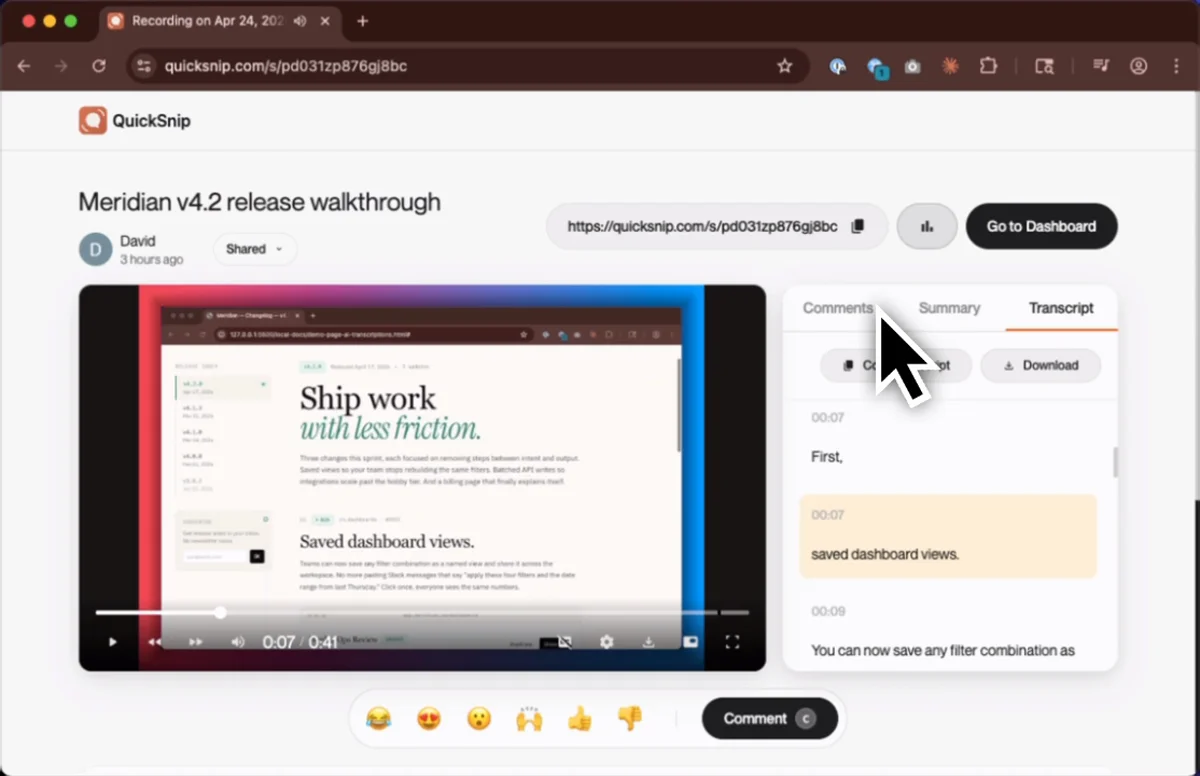
The share page does the things you'd expect (comments, summary, transcript), but I want to call out what's not there: an upload progress bar. The recording is already streaming during capture, so by the time you stop, there's nothing left to wait for. More on Quick Mode.
- 2
Studio Mode: for the recordings that need to look good
Some recordings need polish. A demo for a prospect. A walkthrough for the marketing site. A tutorial. For those, Quick Mode's straight through capture isn't quite right. You want to trim the false starts, zoom the cursor, fix the audio levels.
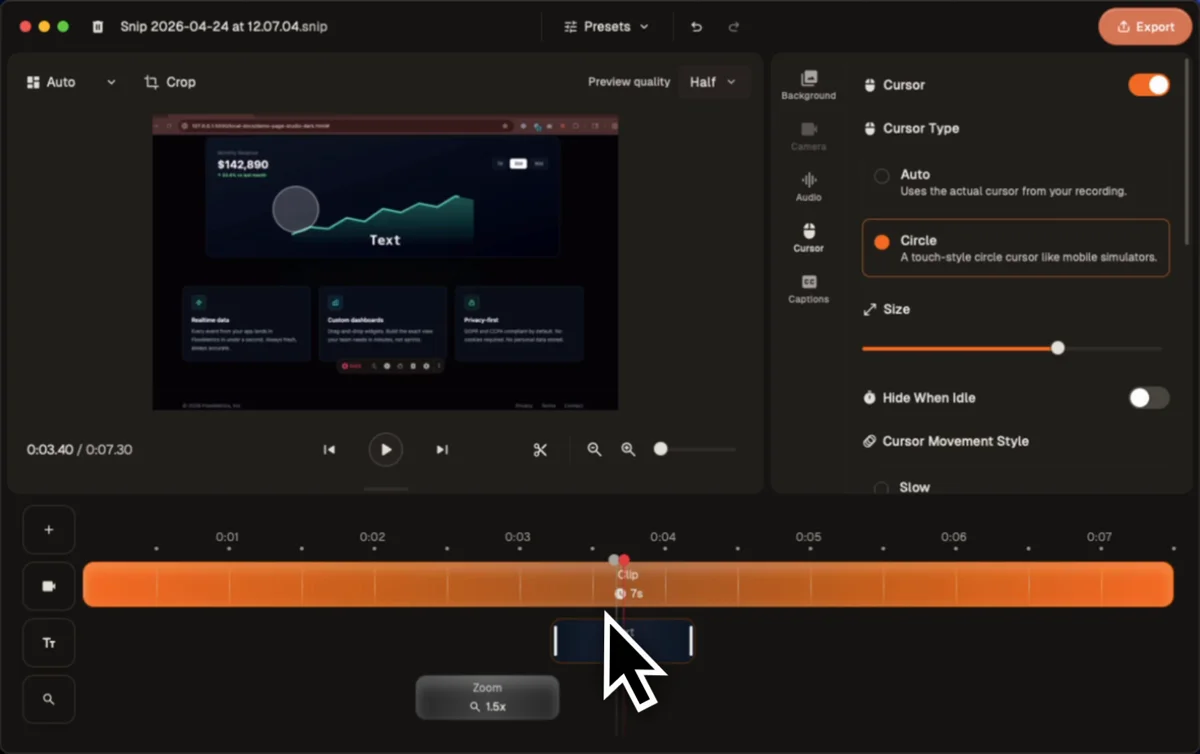
Studio Mode records locally to disk, then opens in an editor with a timeline, clip level controls, and the kind of cursor smoothing and zoom effects that Screen Studio popularized. Local first means: no internet, no problem. Records straight to your machine. More on Studio Mode.
- 3
Screenshots with annotations actually built in
Half my screen captures aren't videos at all. They're stills with an arrow pointing at a thing. QuickSnip ships a real annotation tool: arrows, highlights, blurring, text, the lot. No round trip to Skitch or Preview to throw a red box on something.
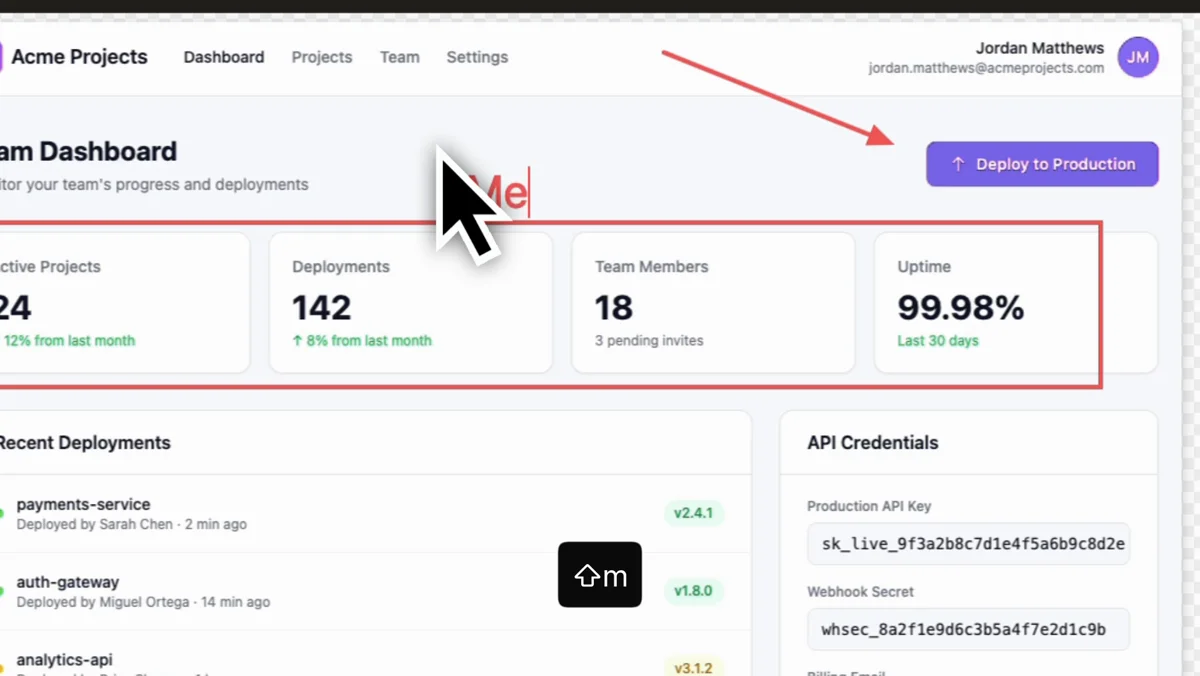
This is the feature I was most surprised to find myself using daily. Once it's a keystroke away, you stop reaching for any other capture tool. More on Screenshots.
- 4
AI captions on every paid recording
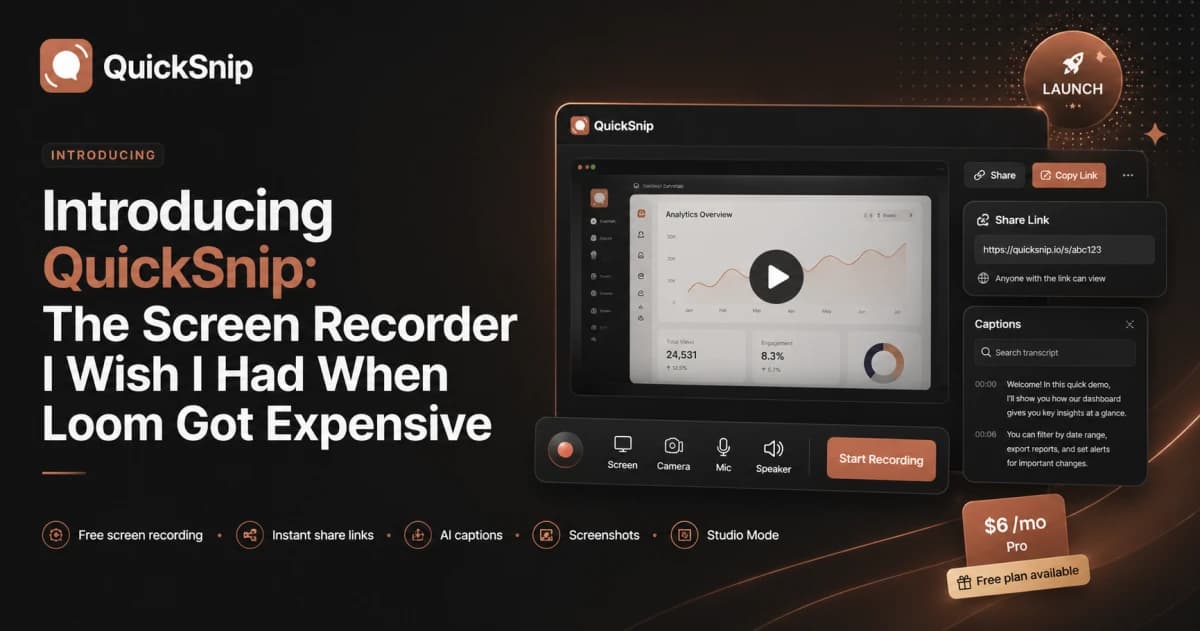
This is the one Loom charges $20 per user per month for. Every paid plan on QuickSnip, including the $6 Pro tier, gets full AI transcription on every recording: searchable transcripts, auto generated summaries, and clickable chapters. The transcription happens in the background as soon as you stop recording, and by the time the share page renders, captions are live.
If you've ever wondered why your screen recording library is full of untitled-1.mp4, untitled-2.mp4, this is what fixes it. You can search for the words you said in a video you forgot you made. More on AI Transcriptions.
What it costs (and why it's that)
Pricing is opinionated, but it isn't complicated. Three tiers. No per AI feature fees. No surprise enterprise upsell.
- 1
Free: actual free, not a demo
Unlimited recordings. 720p capture. 5GB of storage. Up to two hours per recording. Small QuickSnip watermark, which is the only thing you'd really notice. No 25 video ceiling, no expiry. Get started free.
- 2
Pro: $6 a month, $5 if you pay yearly
4K capture. 50GB storage. Unlimited recording time. AI captions and transcriptions on every recording. Password protection on shared videos. Analytics. This is the tier I built for myself. Full feature set, no team billing math, the price of a sandwich.
- 3
Team: $10 per user per month, $8 yearly
Everything in Pro, no watermark, 200GB shared storage, up to 10 organizations, team invites, priority support. For a 10 person team that's $100 a month, about half what Loom Business + AI runs at the same headcount. Full pricing breakdown.
- 4
What I won't charge for
AI features won't get walled off into a higher tier. Storage add ons stay reasonable. The free tier won't get squeezed. If we ever do raise prices, existing customers get grandfathered for as long as I have the say so. Some of those promises are easier to make at $6 than they will be at scale, but that's the line in the sand.
Try it. Tell me what's broken.
This is a v1.0 launch. Most things work. Some things don't. The fastest way to make me prioritize the right next thing is to use it and tell me what bothered you.
- 1
Download it
Free download, no credit card. Mac and Windows builds available now. Sign up takes about thirty seconds with Google. There's also a web version if you want to record from a browser tab without installing anything.
- 2
Send me hate mail
There's a feedback button inside the app, wired straight to my support queue, real responses, real triage. It's the right place for bug reports, missing feature complaints, and “I tried to do X and got confused.” I'd rather you told me a thing was broken than quietly bounced.
- 3
Find me on the internet
If you're hanging out in r/SideProject, r/indiehackers, r/screenrecorder, or anywhere people argue about Loom alternatives, drop the link to this post and I'll show up. Same on X. I'm easier to find than you'd think.
- 4
What's next on the list
The near term roadmap, in rough order: better team analytics, AI generated video titles, viewer engagement insights, and a proper API. If any of that is the thing keeping you on a more expensive tool, let me know. It'll move up the queue.