Plans & Billing
3 min read
Plans Overview
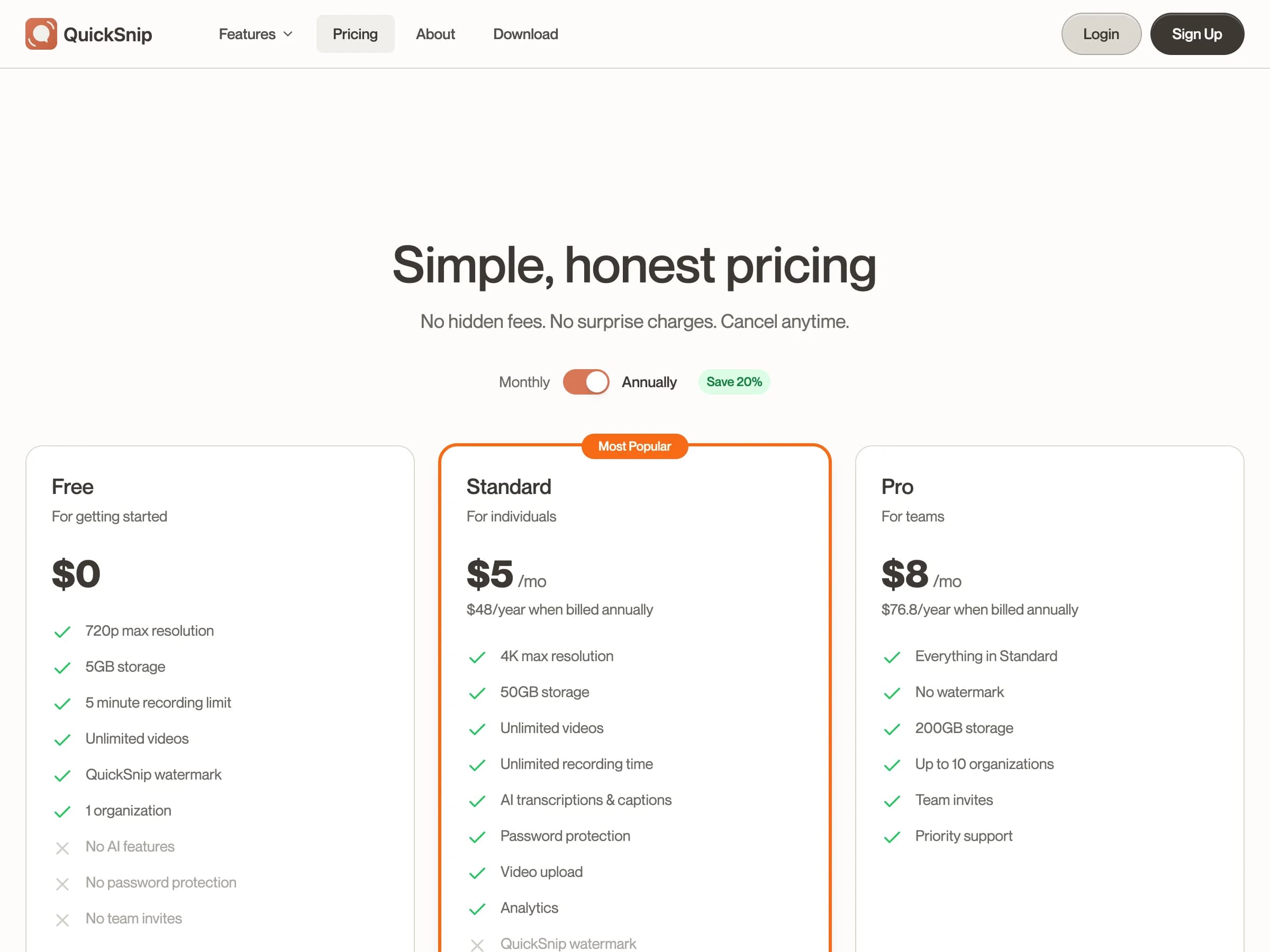
QuickSnip offers three plans to fit different needs:
| Feature | Free | Pro | Team |
|---|---|---|---|
| Videos | Unlimited | Unlimited | Unlimited |
| Recording length | Up to 2 hours | Unlimited | Unlimited |
| Resolution | Up to 720p | Up to 4K | Up to 4K |
| Storage | 5 GB | 50 GB | 200 GB |
| Watermark | Yes | Yes | No |
| AI captions | — | Yes | Yes |
| Organizations | 1 | 1 | Up to 10 |
| Team invites | — | — | Yes |
| Priority support | — | — | Yes |
For full pricing details, visit the Pricing page.
Check Your Current Plan
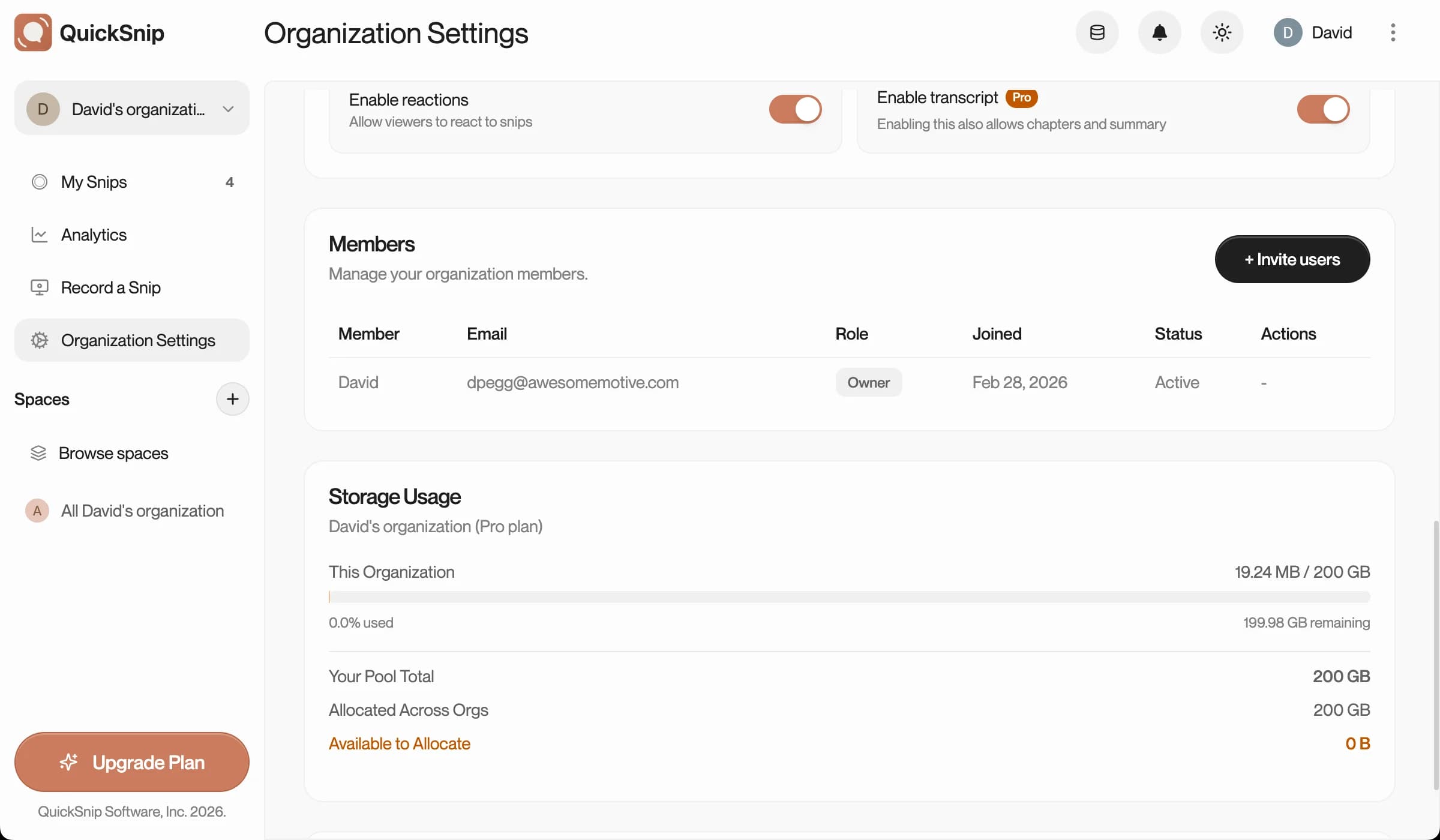
To see which plan you're on:
- Open the QuickSnip Dashboard
- Go to Settings
- Your current plan is shown at the top of the billing section
Upgrade Your Plan
Ready for more features? Upgrading takes less than a minute:
- Open the Dashboard → Settings
- Click Upgrade
- Select your new plan
- Enter payment details via our secure Stripe checkout
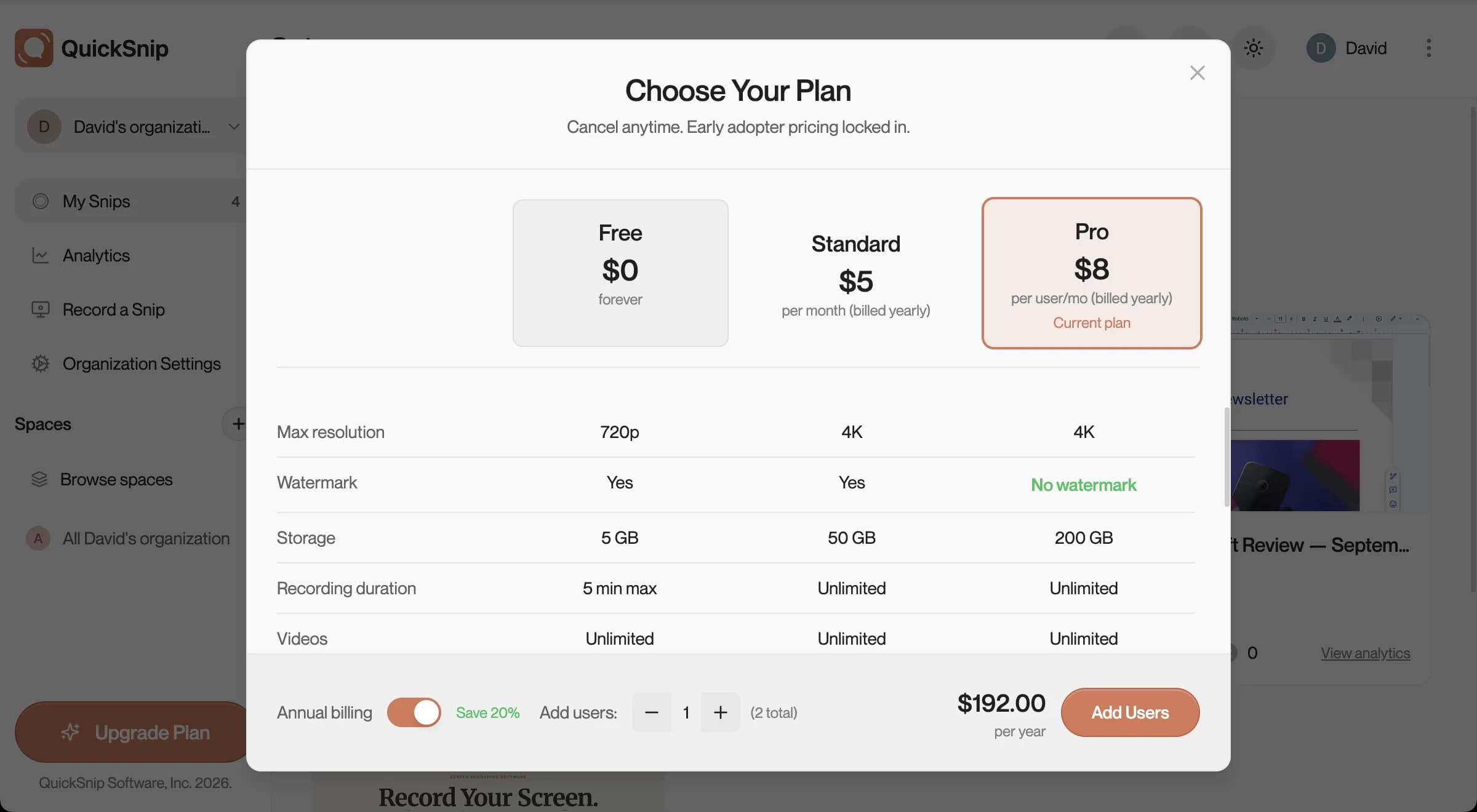
Your upgrade takes effect immediately. You'll be charged a prorated amount for the remainder of your current billing cycle.
Note
All payments are processed securely by Stripe. QuickSnip never stores your credit card information.
Downgrade Your Plan
To switch to a lower plan:
- Open Dashboard → Settings
- Click Manage Billing
- Select a different plan
Your current plan stays active until the end of your billing period, then switches to the new plan.
Cancel Your Subscription
You can cancel anytime from the billing portal:
- Open Dashboard → Settings
- Click Manage Billing
- Click Cancel Subscription
After cancellation:
- Your paid features remain active until the end of the billing period
- Your recordings and share links are not deleted
- You'll be moved to the Free plan when the period ends
Tip
Cancelling doesn't delete any of your content. Your recordings and share links stay active on the Free plan, subject to Free plan limits.
Billing FAQ
When am I charged? You're charged at the start of each billing cycle (monthly or annual, depending on your selection).
Do you offer refunds? Yes. We offer a 14-day money-back guarantee on all paid plans. Contact us for a full refund — no questions asked.
Can I switch between monthly and annual billing? Yes. Go to Manage Billing in your dashboard settings to switch. Annual billing saves you approximately 20%.
Is there a free trial? The Free plan itself is our trial — you can use QuickSnip with generous limits before deciding to upgrade. No credit card required.
What's Next
- Installation & Setup — Get started with QuickSnip
- Your First Recording — Record and share your first snip
- AI Captions — Use AI-powered transcription
Can't Find What You Need?
Reach out to our support team and we'll get back to you within 24 hours.